Animated Text Generator: Create Eye-Catching Animated Text Online
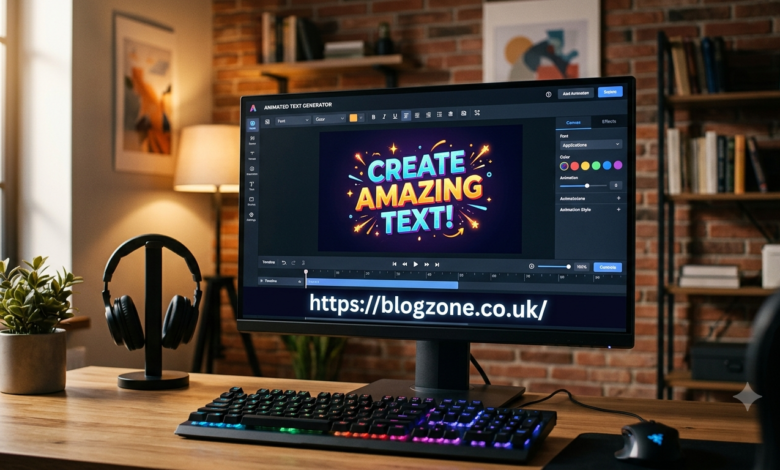
An animated text generator is a tool that turns ordinary words into dynamic, eye-catching text effects. Instead of displaying a static sentence, these tools can make letters move, fade, bounce, slide, rotate, glow, or appear with other visual effects. Animated text is widely used for social media posts, YouTube videos, websites, presentations, advertisements, digital invitations, and online branding.
With the growing importance of visual content, animated typography has become an easy way to attract attention. You do not necessarily need advanced animation or graphic design skills to create it. Many modern generators provide ready-made effects that allow users to type their text, select an animation style, customize colors and fonts, and export the finished result.
What Is an Animated Text Generator?
An animated text generator is an online or software-based tool designed to create moving typography. Users enter words or phrases and then apply different animation effects to them. Depending on the platform, the result may be downloadable as an image, GIF, video, or animation file.
Traditional text is useful for communicating information, but animated text can make that information more noticeable. For example, a simple phrase such as “Welcome” can be transformed into text that smoothly fades onto the screen or moves across it.
Most generators are designed with simplicity in mind. Instead of creating every animation frame manually, users can choose a preset effect and adjust its appearance.
How Does an Animated Text Generator Work?
The process usually begins with entering the desired text into an editor. The generator then provides controls for selecting a font, size, color, background, alignment, and animation style.
After choosing the visual settings, users can preview the animation before exporting it. Some advanced tools also allow users to control animation speed, direction, duration, spacing, shadows, outlines, and transition effects.
A typical workflow looks like this:
- Enter your text.
- Select a font and text style.
- Choose an animation effect.
- Adjust colors and background.
- Set animation speed and timing.
- Preview the result.
- Export the animated text.
This straightforward process makes animated typography accessible to beginners as well as experienced content creators.
Popular Animated Text Effects
Different animation effects can create completely different moods. Choosing the right effect depends on where the text will be used.
Fade effects gradually make text appear or disappear. They are simple and professional and work well in presentations and videos.
Typing effects make letters appear one at a time, creating the appearance of someone typing the message. This style is popular for introductions, tutorials, and social media videos.
Bounce effects make text move vertically or jump slightly. They can create an energetic and playful appearance.
Slide effects move text into the frame from a particular direction. They are commonly used for video titles and promotional graphics.
Glow effects add light around letters and can make text stand out against dark backgrounds.
Zoom effects make text appear to grow or shrink. They can be useful for headlines and important announcements.
Choosing an effect that matches the purpose of the content is more important than simply using the most dramatic animation available.
Why Use an Animated Text Generator?
One of the biggest advantages is speed. Creating typography animation manually in professional animation software can require considerable time and technical knowledge. A generator can automate much of this process.
Animated text can also improve visual engagement. On social media platforms, users scroll through large amounts of content every day. Movement can help a headline or message stand out when it is used appropriately.
Another advantage is consistency. Businesses and creators can establish a recognizable style by using similar fonts, colors, and animation patterns across their content.
These tools can also reduce production costs. Small businesses, students, freelancers, and individual creators may not need to hire a professional designer for simple animated text projects.
Animated Text for Social Media
Social media is one of the most common applications for animated typography. Platforms such as Instagram, TikTok, YouTube, Facebook, and other video-focused channels rely heavily on visual content.
Animated text can be used for:
- Short video titles
- Promotional messages
- Product announcements
- Quotes
- Educational content
- Call-to-action messages
- Story introductions
- Event announcements
For example, a creator explaining five productivity tips can display each tip using animated text as it is discussed. This can make the video easier to follow while reinforcing important information.
However, animation should support the message rather than distract from it. Excessive movement, difficult-to-read fonts, or rapidly changing colors can reduce readability.
Using Animated Text in YouTube Videos
YouTube creators frequently use animated typography for introductions, transitions, subtitles, and emphasis. A simple animated headline can make the beginning of a video look more polished.
Creators can also use animated text to highlight statistics, important statements, or calls to action. For example, a phrase such as “Subscribe for More” can appear briefly at an appropriate point in a video.
The key is timing. Text should remain visible long enough for viewers to read it comfortably. The animation should also match the pace and tone of the video.
Animated Text for Websites
Animated typography can also be used in website design. It may appear in hero sections, promotional banners, landing pages, or interactive elements.
A website might use a subtle fade or slide effect when a headline becomes visible. This can create a modern appearance without overwhelming visitors.
However, website animations should be used carefully. Too many moving elements can make a page distracting and may negatively affect usability. Accessibility and performance should also be considered, especially on mobile devices.
How to Choose the Right Generator
Not every animated text generator offers the same features. Before choosing a tool, consider what type of output you need.
First, check the available export formats. If you need animated content for video editing, a video format may be more useful than a GIF. If the animation is intended for a website, you may need a format or integration supported by your website platform.
Next, examine customization options. A good generator should provide enough control over fonts, colors, timing, animation styles, and backgrounds.
Ease of use is another important factor. Beginners generally benefit from a simple interface with templates and presets, while advanced users may prefer more detailed animation controls.
It is also important to check whether the tool adds a watermark, limits export quality, or requires a paid subscription for certain features.
Tips for Creating Better Animated Text
Creating animated text is easy, but creating effective animated text requires some design judgment.
Keep it readable. Choose clear fonts and maintain sufficient contrast between text and background.
Use animation with purpose. Every movement should help communicate the message.
Avoid excessive effects. Combining multiple dramatic animations can make the design look cluttered.
Match the animation to the brand. A corporate presentation may require subtle effects, while entertainment content can use more energetic animation.
Pay attention to timing. Text should appear and disappear at a comfortable speed.
Optimize for mobile. Many people view social media content on smartphones, so text should remain readable on smaller screens.
These basic principles can make a significant difference even when using simple templates.
Free vs. Paid Animated Text Generators
Many platforms offer free animated text features, but free versions often have limitations. These may include fewer fonts, limited animation effects, lower export quality, watermarks, or restrictions on file formats.
Paid tools generally provide additional templates, advanced customization, higher-quality exports, and commercial-use options. However, paying for a tool is not always necessary.
For simple projects, a free generator may provide everything needed. Professional creators and businesses with frequent design requirements may benefit from advanced features available in paid plans.
Before subscribing, users should compare the features they actually need rather than choosing a service based solely on the number of templates.
Common Mistakes to Avoid
One common mistake is using animation simply because it is available. Movement does not automatically make content better. If an animation makes text harder to read, it can reduce the effectiveness of the design.
Another mistake is selecting fonts that look attractive but are difficult to read. Decorative fonts may work for short titles but can become problematic when used for longer messages.
Poor contrast is another issue. Bright text on a busy background can disappear, especially on mobile screens.
Finally, avoid making every word move differently. Consistent animation usually creates a cleaner and more professional result.
Future of Animated Typography
As video content, short-form media, digital advertising, and interactive websites continue to grow, animated typography is likely to remain an important design technique. Improvements in browser technology, video editing, artificial intelligence, and automated design tools are making animation increasingly accessible.
Modern tools are also moving toward smarter workflows in which users can generate complete visual concepts from simple instructions. This may make it easier for non-designers to create professional-looking animated content.
The technology may become more automated, but basic design principles will remain important. Clear communication, readable typography, appropriate timing, and visual consistency will continue to determine whether an animation is effective.
Conclusion
An animated text generator provides a convenient way to transform ordinary words into engaging visual content. From social media videos and YouTube intros to websites, advertisements, presentations, and digital invitations, animated typography can be used in many different situations.
The best results come from choosing an appropriate animation, maintaining readability, and keeping the design consistent with the purpose of the content. Beginners can start with simple presets, while advanced users can explore detailed controls for timing, effects, fonts, and transitions.
Whether you are creating content for personal use, marketing, education, or professional branding, an animated text generator can save time and make typography more visually engaging without requiring advanced animation skills.